Best for
Built for independent work
- Freelancers delivering several client projects at once
- Consultants who need a lightweight Excel client tracker
- Independent studios replacing scattered status notes with one review system
Freelance client tracker spreadsheet for Excel
Keep every active client project, approval and next action visible without adding another subscription.
A connected freelance client and project management spreadsheet for active delivery. Track clients, projects, deliverables, approvals, scope changes, next actions and payment status in one editable Excel system with a separate blank workbook and a fully fictitious worked example.
Best for
What changes
Inside the download
Product facts
These are concrete product details—not estimates, subscriptions or hidden add-ons.
Real workbook preview
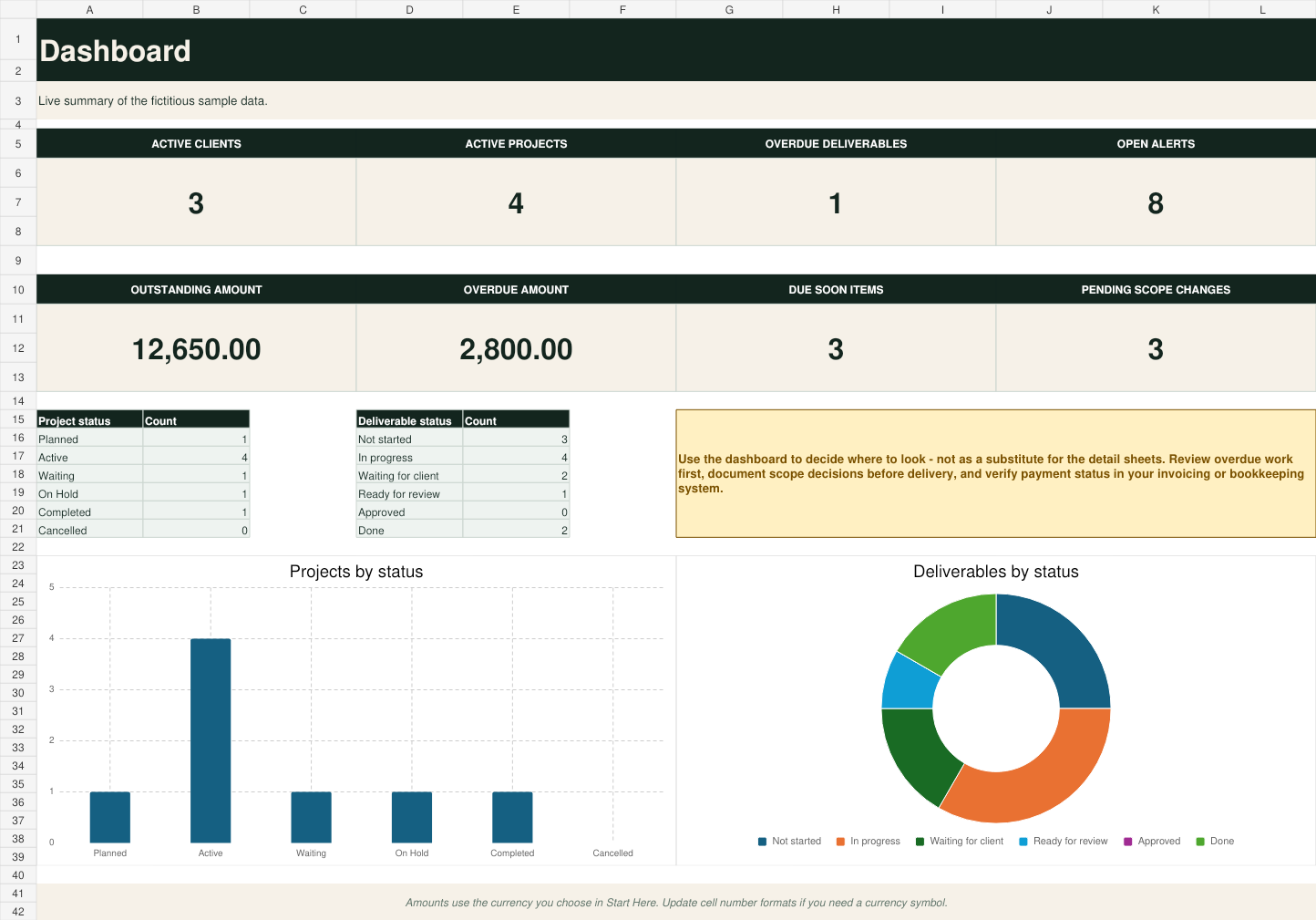
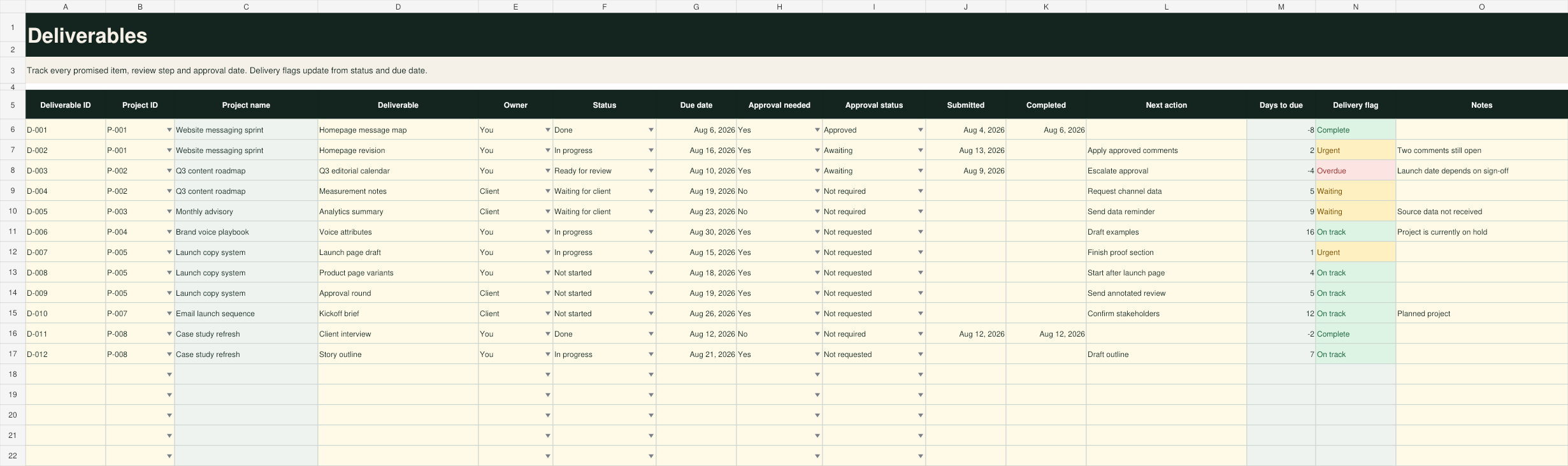
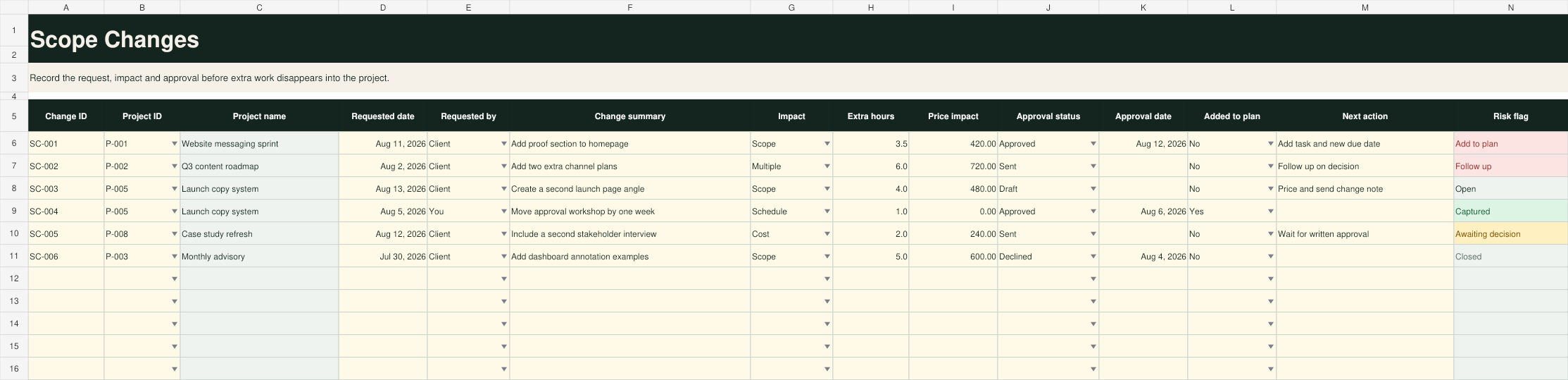
Every preview below comes from the included workbook and uses only fictitious sample records. The blank customer workbook contains the same structure without sample clients or projects.
A closer look
The workbook gives each operational decision its own record: client follow-up, project health, promised deliverables, approval state, scope-change decisions and payment follow-up. That separation makes overdue and waiting work visible without pretending to replace accounting, time tracking or a client portal.
Worked preview
Four active clients, several due dates, one approval waiting, two extra requests and payment reminders held across email, notes and memory.
The workbook links each record to its client and project, flags the next delivery, scope or payment action, and turns the weekly review into a short list of realistic priorities.
How it works
Create each client once, then link every active project with stable IDs.
Track deliverables, approvals and scope decisions as separate operational records.
Use the dashboard and weekly review to resolve overdue, waiting and at-risk work.
Good fit matters
Questions, answered
The product package contains a blank Excel workbook, a separate workbook with entirely fictitious sample data, an editable DOCX guide and the same guide as a PDF.
No. Payment Status records references, due dates, paid amounts, balances and follow-up flags. It does not generate invoices, calculate tax or replace your accounting system.
No. Every name, company, email address, project and payment reference in the sample workbook is fictitious and exists only to demonstrate the workflow.
The .xlsx files were designed and quality checked for Microsoft Excel. Compatibility with other spreadsheet applications can vary, so no Google Sheets feature-equivalence claim is made.
The Client Onboarding Kit supports the period from signed agreement to kickoff. This tracker begins with active delivery and keeps projects, deliverables, approvals, scope changes and payment follow-ups visible.
No. It is a lightweight operating workbook for a freelancer or independent service business. It does not store project files, track time automatically, provide a client portal or sync with other systems.